Thursday, December 10, 2009
New Mapping Social Networks White Paper
I've just released a new Mapping Social Networks White Paper:
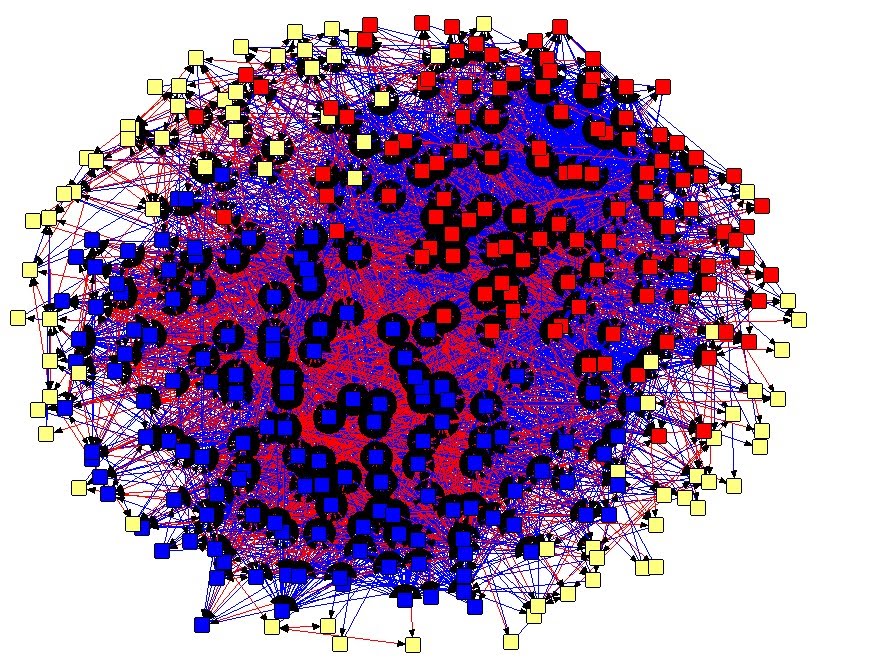
Exploring Twitter Factions and Open Networks. Using the example of the Twitter network of @LookBackMaps, I look at patterns within that network as well as details on the methodology and how-to.
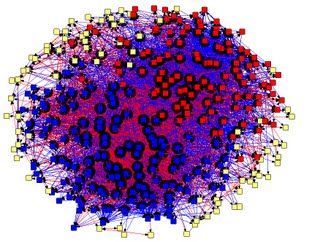
SummaryAn analysis of the Twitter network of user @LookBackMaps reveals a tight knit community of people interested in making historical collections more accessible, interactive, and interesting to the general public. Social Network Analysis and mapping reveals two distinct factions of key players, those in the digital humanities, and those in the museum world. Tools used included custom Javascripts, the Twitter API, Microsoft Excel, and Analytic Technologies’ NetDraw. This article examines the methodology used to collect 1st and 2nd degree network nodes related to @LookBackMaps, and what kind of information was gleaned from the analysis of this data.
Download: Exploring Twitter Factions and Open Networks
Tuesday, October 27, 2009
Behind the scenes install
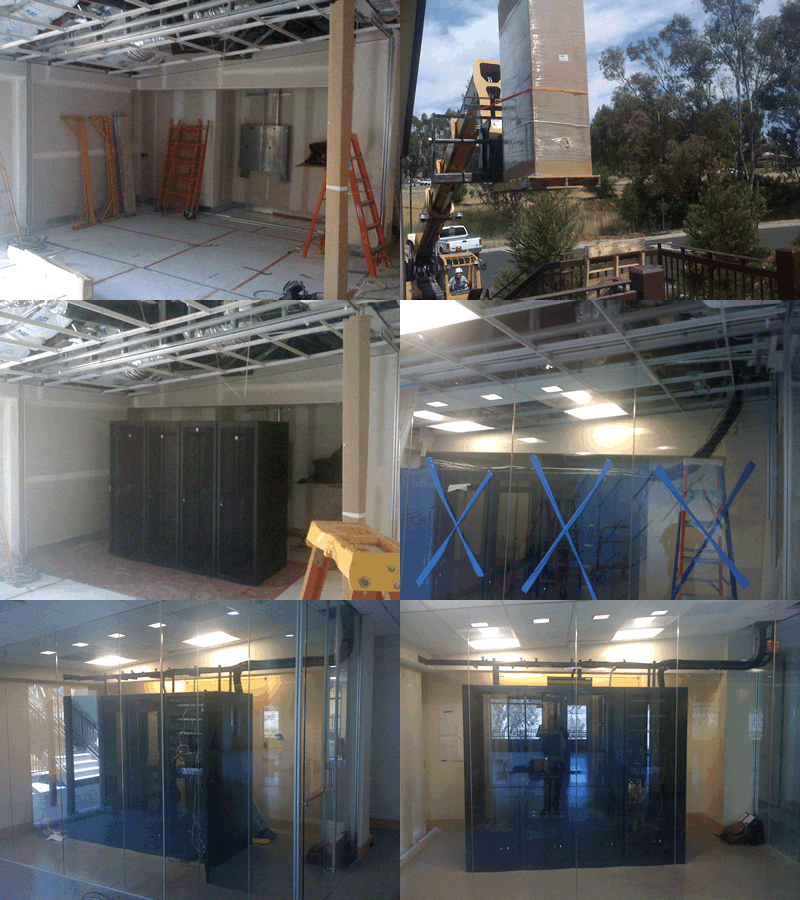
I've just put together a little behind the scenes look at an install we did this summer for a client. This office included structured cabling for about 90 locations, as well as a small, glassed-in data center. (it's an animated image, so it may take a few seconds to load).
Thursday, May 21, 2009
Recent installs
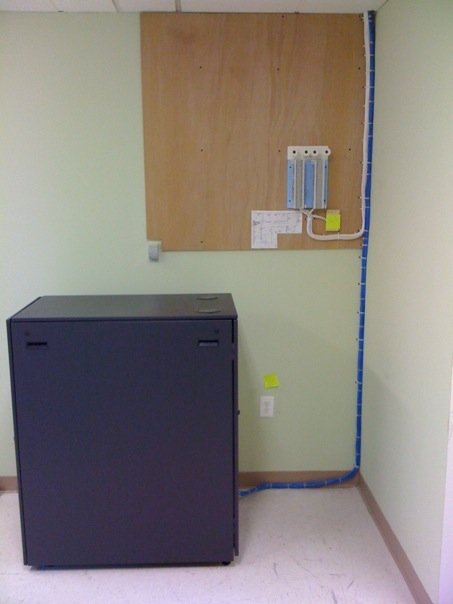
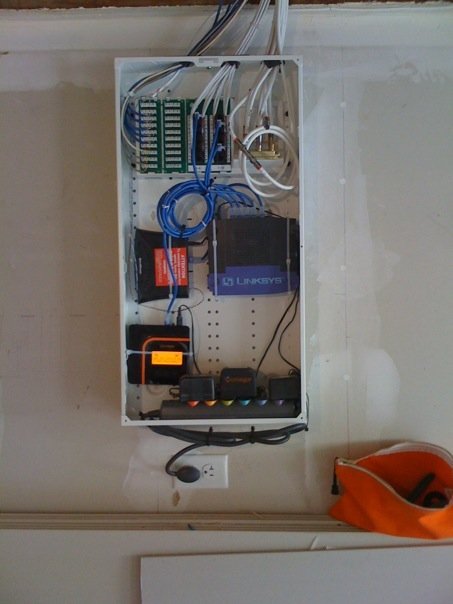
I'm adding a few photos here of recent installs to highlight some of the options for small offices and residential construction. The first photo is a small office (about 20 desktops) and includes a half size Dell server cabinet and phone terminations. This is before move-in so there is no phone system on the wall yet--we leave it all ready for them to punch down to if we do not supply the phone system.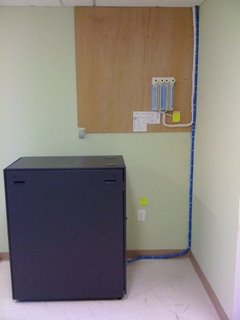 The second photo, below, shows a small residential setup in a Leviton media cabinet and includes distributed data, phone (via Vonage), and cable.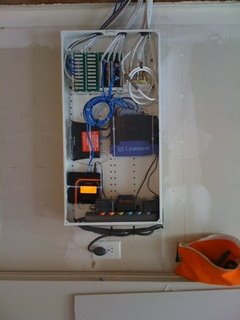
Friday, October 3, 2008
A common complaint

and also a funny joke, thanks for passing on Z.
____________________
Dear Tech support,
Last year I upgraded from Boyfriend 5.0 to Husband 1.0 and noticed a distinct slow down in overall system performance, particularly in the flower and jewelry applications, which operated flawlessly under Boyfriend 5.0. In addition, Husband 1.0 uninstalled many other valuable programs, such as Romance 9.5 and Personal Attention 6.5 and then installed undesirable programs such as NBA 5.0, NFL 3.0 and Golf Clubs 4.1. Conversation 8.0 no longer runs, and Housecleaning 2.6 simply crashes the system. I've tried running Nagging 5.3 to fix these problems, but to no avail.
What can I do?
Signed,
Desperate
++++++++++++++++++++++++++++++++++++
Dear Desperate,
First keep in mind, Boyfriend 5.0 is an Entertainment Package, while Husband 1.0 is an operating system. Please enter command: ithoughtyoulovedme.html and try to download Tears 6.2 and don't forget to install the Guilt 3.0 update. If that application works as designed, Husband 1.0 should then automatically run the applications Jewelry 2.0 and Flowers 3.5. But remember, overuse of the above application can cause Husband 1.0 to default to Grumpy Silence 2.5, Happy Hour 7.0 or Beer 6.1. Please note that Beer 6.1 is a very bad program that will download the Snoring Loudly Beta.
Whatever you do, DO NOT install Mother-In-Law 1.0 (it runs a virus in the background that will eventually seize control of all your system resources.)
Also do not attempt to reinstall Boyfriend 5.0 program. These are unsupported applications and will crash Husband 1.0. In summary, Husband 1.0 is a great program, but it does have limited memory and cannot learn new applications quickly. You might consider buying additional software to improve memory and performance. We recommend Cooking 3.0 and Hot Lingerie 7.7.
Good Luck,
Tech Support
Thursday, August 28, 2008
Good Resource for Electronic Recycling

Here's a new site I just heard about which has some very helpful resources to help you recycle your old electronic equipment.
http://earth911.org/electronics/
Sunday, March 16, 2008
PC Magazine Rates Green Computers

PC Magazine just introduced a "Green Approved Seal" for computers. While the major power saving for computers is going to be in data centers and server closets (the so-called Green Grid), there are things you should consider when purchasing your laptops and desktops, and PC Mag has done a good job putting together a lot of consumer info around this. Most of their articles are focused on the home user and small/medium business space. Certainly worth perusing.
Their special coverage
is here, or skip directly to
the machines they give their "Green Approved Seal" to.
Friday, December 7, 2007
jumpSLIDE's 2007 Roundup
We've had a great year at jumpSLIDE, thanks to our clients and partners. So THANKS! It's been a busy year for sure, with plenty of desktop support, office relocations and buildouts, phone system installations, and more. It's been exciting to help so many companies and non-profits in the Bay Area grow.
Early in the year we complimented our online ticketing system with remote desktop support software, which many of you have benefited from--now I can help you with your computer issues from wherever I may be: Tahoe, Calcutta, Bangkok, or Tuscany (though it's most likely from right here in the sunny Mission district). I've also added a blog to the site, as you can see, where I try to post helpful, interesting, or just flat out nerdy posts about various things, somewhat technological.

Sort of on the scary side, I've had to recover data and rebuild from several server crashes this year--typical for an average year I would say. But couple that with my training for SF's Neighborhood Emergency Response Team (
NERT) program, and you can understand why I've been pretty focused on disaster recovery. We've recently partnered with eVault to offer an auto backup solution for critical data, and I'll be in touch with those of you for which this solution is feasible about it soon (you need to be using a Windows Server for this service).
 Finally
, while I don't have much to give (pa-rump-a-pum-pum), I
can pass on this 15% off flyer for the
be+cause studio store, where you may notice the jumpSLIDE signatures of technology you all know and love: discreet wiring, a VoIP phone system, a remote business network linking several offices, and redundant fileservers. Not to mention beautiful women (my wife of course) and cool clothes and accessories. Just print out
this flyer for your discount, and don't miss the holiday open house tomorrow.
Wishing you all the best this holiday season,
Jon Voss
jumpSLIDE networks